

Laser Marking Machine PCB Signal Integrity Failures: Why Galvo Jitter and Ragged Marks Rarely Start With the Laser
A fiber laser marking machine that ran perfectly for six months can
The most core board inside a computer is genuinely interesting. After building quite a few machines, I’ve noticed that a lot of people focus excessively on the CPU and graphics card while overlooking the actual foundation carrying those components. That board covered in slots and chips is really what determines whether the entire system can perform stably. Every time I open a case and see those densely packed traces, I think this thing really is the unsung hero.
A situation I ran into recently while helping a friend build a PC drove this home even more. He insisted on the newest graphics card, only to find the old motherboard’s PCIe-slot bandwidth simply couldn’t feed the new card enough data. It’s a bit like driving a sports car on a country lane — no matter how good the engine, it can’t show its power. The new generation of PCIe standard genuinely represents a qualitative leap.
The same goes for memory. When I used DDR4, I always felt something was slightly off. After switching to DDR5, the most direct sensation was the smoothness while loading large files — especially when working with video footage, where I used to just sit and wait for the progress bar to finish.
That said, I’ve found a lot of people easily fall into a misconception — obsessing over the extreme performance of a single component. In reality, a motherboard’s role is more like a traffic hub. Even if you buy the fastest CPU and graphics card, if the channels on the motherboard aren’t wide enough or the scheduling isn’t smart enough, overall performance still takes a hit.
Once, helping someone upgrade their computer, I ran into exactly this. His original configuration wasn’t actually bad, but it just felt sluggish. It later turned out the motherboard was too old. After swapping it out, the whole system felt like it had unblocked its meridians.
I think the most important thing when choosing a motherboard is considering future expandability. You might feel your current configuration is enough right now, but who can guarantee you won’t want to add new hardware in six months? Especially components that need high bandwidth.
At the end of the day, building a PC is like assembling building blocks. Every block matters, sure, but the foundational platform connecting those blocks is what genuinely determines overall stability and expandability — the design and quality of this main circuit board often matters more than we assume.
Building a PC is genuinely interesting. When I first got into computer hardware, I always assumed the processor mattered most. I later realized that what genuinely determines how far a computer can go is actually the platform carrying everything. The most core circuit board inside a computer is like a city’s transportation hub.
You’ve probably seen motherboards in all kinds of sizes — I personally prefer the standard ATX form-factor design. It leaves reasonable spacing between components, and the arrangement of PCIe slots in particular makes airflow smoother in a multi-GPU setup. I remember once helping a friend build a machine, choosing a compact case paired with a large board, only to find the cooler nearly touching the side panel — this kind of detail often matters more than raw specs.
Many people today are debating how many memory slots a motherboard should have. I think four slots is actually a reasonable configuration. Most people won’t fill them all immediately, but this design leaves room for future upgrades. Just like the machine I built three years ago, which started with only two memory sticks installed — this year I simply added two more, without needing to replace the motherboard at all.
The position of the power connector is often overlooked. A good motherboard places the 24-pin power connector near the case’s cable-routing opening, keeping wiring tidier. I’ve seen some designs hide the connector behind a heatsink, making every plug and unplug a struggle. These small details reflect exactly how well a manufacturer understands the user experience.
Chipset cooling on motherboards has gotten increasingly extravagant lately. Some models come with massive armor plating that genuinely looks impressive. But in actual use, I care more about whether the heatsink conflicts with other components.
When choosing a motherboard, I increasingly value practicality beyond just expandability. For example, whether the front USB-port position is convenient, whether the SATA ports get blocked by a long graphics card. These details, only discovered through daily use, are what genuinely affect the user experience.
Sometimes, looking at the crisscrossing traces inside a case, I feel the motherboard is like the skeleton of the entire system. It doesn’t just need to connect every component — it also needs to factor in cooling, compatibility, and future upgrade space.
Building PCs has taught me one principle: the best configuration isn’t stacking the most expensive parts — it’s finding the most harmonious match between components — and the motherboard is exactly what makes that balance possible.
Every time I open a case and see that motherboard, I always feel it’s like the entire computer’s spine. You’ve probably heard plenty of people discuss flashy graphics-card or processor specs, but I’ve found that what genuinely determines whether a computer holds up stable often hides in the most inconspicuous place — power-delivery design. I remember helping a friend build a PC last year — he insisted on saving a few hundred dollars by choosing a board labeled with a high-end chipset, only to find it couldn’t even keep an i7 in check once running. It later turned out the power-delivery specs had been cut. That incident taught me a lesson: every configuration on a motherboard needs to match the others.
Chipset selection is actually genuinely interesting. Some people think choosing the newest model settles everything, but the reality depends on your usage scenario. For example, I mainly do video editing, so I need faster bus speed and more expansion interfaces — that’s when a Z-series chipset’s advantage shows. But if it’s just everyday office work, an H-series paired with reasonable power delivery is actually more economical and practical. The key is not getting led around by marketing terminology — you need to think clearly about what functionality you actually need.
Speaking of the Main Circuit Board Inside the Computer, what I care about most is its heatsink armor coverage. Once, opening up an old machine, I found the back of the motherboard had already yellowed somewhat, which made me realize that long-term high-load operation wears down components more severely than expected. Now, when choosing a motherboard, I specifically check heatsink thickness near the power-delivery module — after all, stable current delivery is the foundation for guaranteeing the performance of every other piece of hardware.
I have a different take on brand selection. Many people blindly chase first-tier brands, but I think second-tier manufacturers are actually more attentive in certain details — for example, a few recent Colorful motherboard models have genuinely solid moisture-proof coating. The key is learning to read teardown reviews, especially photos of the components used in the power-delivery section — counting the number of inductors and capacitors is far more reliable than simply looking at the brand logo.
Lastly, I want to talk about budget allocation when building a PC. I’ve seen too many people spend a fortune on glowing cooling fans while leaving the lowest budget for the motherboard — it’s like spending all your money on interior decoration for a house while using substandard cement and rebar. My experience is that the motherboard budget should be at least a quarter of the total build, and the power-delivery section absolutely cannot be shortchanged — after all, it determines how long this computer can stay with you.
Building a PC is genuinely interesting. A lot of people jump straight into agonizing over what size motherboard to choose — actually, this question should be flipped around: first figure out exactly what kind of computer you actually need.
I’ve seen too many people blindly chase a large board. They assume a full-size ATX motherboard is the most feature-complete and powerful. But in reality? Most people don’t even need that many PCIe slots. You might install a graphics card plus a sound card and that’s about it, right? Those extra slots just take up case space for nothing.
Sometimes small is genuinely the smarter choice.
Take my own experience, for example. The living-room PC I built last year used a Mini-ITX motherboard. At first, I worried performance might be limited — after all, fitting every component onto that tiny Main Circuit Board Inside the Computer really isn’t easy.
Guess what happened? That small PC has now become one of the most practical devices in my home.
Of course, choosing a small motherboard genuinely requires considering more details. For example, cooling needs to be planned ahead of time, since heat accumulates easily in a compact space; power-adapter choice is also critical; even the case material affects overall cooling performance.
But none of these problems are unsolvable.
Actually, many manufacturers today are launching accessories specifically for small form-factor motherboards — everything from coolers to custom liquid-cooling systems — which shows the market demand is shifting.
I recently helped a friend build a gaming rig based on Micro-ATX — this size genuinely suits most people’s needs well — not too large or space-consuming, yet with enough expandability — and most importantly, the price is far friendlier than a full-size motherboard.
At the end of the day, choosing motherboard size reflects your understanding of the computer’s purpose — do you want a fully-featured workstation, or just a tool focused on a specific task?
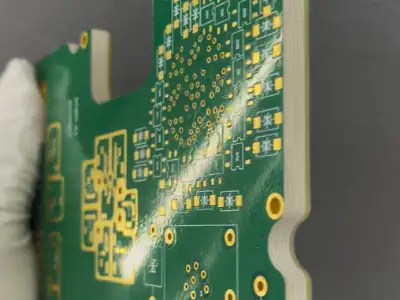
Every time I see someone choose a bulky, oversized case for the sake of a few slots they might never use, I feel it’s a bit of a shame — they might not realize they’ve missed a more elegant solution.
Computer hardware has matured enough today that we can fully choose the configuration best suited to our actual needs, rather than blindly chasing “bigger is always better” — maybe that’s exactly where the biggest joy in building a PC lies.
Computers are genuinely interesting things. Every time I open the case cover and see the largest board inside — that Main Circuit Board Inside the Computer — I think of it as the management center of a small city. But what I want to talk about today isn’t those complex chipsets or power modules.
A lot of people, the moment motherboards come up, think of various slots, interfaces, and transfer-speed specs. I actually think of it more like a large transportation-hub platform manager — knowing when to let data flow through and when to pause the transmission rhythm.
I remember once fixing a friend’s computer and running into a genuinely funny situation: he’d just installed a new graphics card, and the monitor simply refused to light up, the signal light flashing like a disco. After a long struggle, it turned out a tiny DIP switch on the motherboard hadn’t been flipped correctly — that little switch used to toggle between discrete and integrated graphics. Who would’ve thought such an inconspicuous switch could hold up the entire computer’s boot process?
Actually, a motherboard has quite a few settings like this that seem simple but are genuinely critical — for example, jumper caps, those small components used to short-circuit a connection. Even though many functions today have shifted to software settings in the BIOS, on certain older motherboard models, you still need these physical methods to resolve specific issues.
I especially enjoy observing the small design touches different motherboard brands bring — some make heatsinks especially extravagant, like a mech warrior; others focus on user-friendly interface layout, saving you a lot of hassle when cable-managing. These details often reflect a manufacturer’s genuine care far better than the performance specs in official marketing.
Many tutorials today love teaching people how to overclock and adjust voltage. I actually think getting these basic settings right first matters more — after all, stability comes first! It’s like building a house — if the foundation isn’t solid, no matter how luxurious the decoration, it’s all for nothing, right?
Every time I open a computer case and see that board covered in components, I think this thing is genuinely a marvel of modern engineering — how do all those densely packed traces and tiny parts coordinate such a complex computational process? But a lot of people might not realize that this most core board inside a computer is actually a genuinely interesting social venue — different hardware components each play their role here while depending on each other.
I especially enjoy observing how the CPU interacts with the motherboard. That small square area is its dedicated seat — different CPU types need different socket designs, a bit like visiting a friend’s house and having to find the right chair; sitting in the wrong spot gets awkward. Once, helping a friend build a PC, we ran into a situation where a newly bought processor simply couldn’t be installed because we hadn’t checked socket compatibility. Now, every time I choose components, I pay especially close attention to this detail.
Installing memory sticks is also genuinely interesting — they always come in pairs, like dance partners. I remember being nervous the first time I installed memory myself, terrified of pressing too hard and breaking the slot. Actually, those latch designs are genuinely clever — hearing a click means it’s properly seated. Memory speed keeps getting faster these days, but the principle remains the same — temporarily storing data being processed so the CPU can quickly access it.
Speaking of this, I always feel the chipset is like the traffic-command center of the entire motherboard. Even though many functions have now been integrated into the CPU, it’s still responsible for coordinating data flow across various peripherals. Once, my USB port suddenly stopped working, and after a long troubleshooting session, it turned out the chipset driver needed an update — this kind of invisible detail often affects the user experience the most.
What genuinely fascinates me about building a computer is the seamless coordination between these components — like a band performance, where every instrument needs to sound at exactly the right time. Sometimes an inconspicuous small slot or a poor connection can bring the entire computer to a halt — this kind of precise collaborative relationship makes me extra careful every time I upgrade hardware.
I’ve always found the largest circuit board inside a computer genuinely fascinating. It’s like a city’s transportation hub — every piece of hardware has to go through it to communicate with each other. A lot of people, when building a PC, stare at the CPU and graphics card for ages while overlooking that this board actually carries the entire system’s lifeline. I remember helping a friend configure a PC last year — he insisted on saving budget by choosing a cheap motherboard, and two months later, the USB ports started developing intermittent contact issues.
The chipset on the motherboard is really the piece that controls the overall situation. It determines how many hard drives you can connect, how many memory sticks you can install, and even affects the CPU’s overclocking potential. Once, I bought an outdated chipset to save money, and only when I wanted to add an NVMe SSD did I discover it simply wasn’t supported — that feeling was like buying a house only to find the staircase too narrow to move furniture through.
Looking at motherboard manufacturing quality these days genuinely reveals a lot. A good PCB feels substantial in your hand, with full, neatly arranged solder joints, while a cheap motherboard feels flimsy, with loosely arranged inductors and capacitors. I’ve seen a high-end motherboard used for five years still have gleaming gold fingers when removed, while a cheap one bought around the same time had already started developing memory-slot contact issues.
When choosing a motherboard, I place more weight on long-term usage stability than flashy features. For example, power-delivery-module design directly relates to whether the CPU can sustain performance under high load — models with thick heatsinks and dense inductors are usually a better investment than a motherboard packed with a bunch of interfaces you’ll never use. After all, most people won’t fill every single expansion slot at once, but every component needs stable power supply.
Sometimes I feel a motherboard is like a house’s foundation — you can build luxurious decor on top of it, but if the foundation isn’t stable, even the best building materials are wasted. I’d rather invest more budget into the Main Circuit Board Inside the Computer in exchange for years of worry-free use down the line — that kind of invisible value is far more concrete than a benchmark score.
Every time I open a computer case and see that board covered in components, I think this thing really is the true unsung hero — quietly connecting every component, yet rarely truly understood for its value. I’ve seen too many people spend a fortune on a top-tier graphics card, only to pair it carelessly with a cheap motherboard, and the entire machine’s performance simply can’t be unleashed as a result.
Actually, a motherboard is like a city’s transportation hub — you can build the most luxurious office tower, but if the road leading to it is narrow and congested, it’s all for nothing. Helping a friend build a PC last year, we ran into exactly this — he insisted on saving on the motherboard budget, and eventually found the USB ports weren’t enough; wanting to add an SSD meant having to unplug the original mechanical drive — a hassle that could have been entirely avoided.
Speaking of BIOS, many people think it’s some mysterious black box. Actually, it’s more like a household manager — every time you power on, it quietly checks in the background whether every piece of hardware is ready. Many motherboards today support flashing the BIOS without a CPU installed — a genuinely useful feature. I remember once helping someone upgrade to a new CPU on an old platform, and this feature saved the entire machine — no need to remove any hardware, just update directly with a USB drive.
Motherboards today are getting increasingly smart — some models can even automatically regulate the power-delivery module’s temperature. But I think the most practical improvements are still those detail-level designs — like a heatsink on the M.2 slot, or a side-mounted SATA-port layout. These seemingly small improvements genuinely save a lot of hassle during actual builds.
When choosing a motherboard, I pay especially close attention to expandability — not chasing the newest spec, but leaving some room to grow. It’s like buying a house and considering how your life might change over the next few years — you might not need that many PCIe slots right now, but who knows, someday you might want to add a capture card or a 10-gigabit network card, and that’s when the extra interface comes in handy.
Some people fixate purely on chipset tier — actually, a mid-tier chipset paired with good power delivery is often more reliable than a high-end chipset with a cut-down power section. I’ve seen plenty of B-series motherboards outperform a Z-series board at the same price point — the key is still the actual materials and design.
While recently helping someone choose a configuration, I noticed something interesting — a lot of people excessively chase PCIe 5.0, when in reality they can’t even saturate a PCIe 4.0 SSD’s bandwidth. Rather than paying for technology you don’t need, it’s better to spend the budget on something more concrete — like a better audio module or a more reliable network-card chip.
At the end of the day, motherboard choice reflects your positioning for the computer — do you plan to replace it in two years, or use it steadily for five or six? If it’s the latter, it’s genuinely worth investing more into the motherboard, since other components can be upgraded anytime, while once the motherboard is chosen, it basically sets the tone for the entire platform.
Every time I open a case and see that green board covered in traces, I feel it’s genuinely like a precisely planned city. Those slots and interfaces are the crisscrossing streets, while components like the CPU and memory sticks are the vehicles shuttling through them. Many people compare a computer to human anatomy — I think of the motherboard more as an urban planner — it decides where a highway can be built and where a traffic light needs to go.
I remember nearly buying the wrong motherboard model the first time I built a PC myself. At the time, I assumed matching slot count was enough, only to find the power connector didn’t match at all. That experience taught me that choosing a motherboard can’t be based on surface-level specs alone — you need to consider the coordination of the entire system. For example, the popular M.2 SSD today is fast, but it occupies PCIe lanes — if you also install multiple graphics cards simultaneously, a bandwidth bottleneck can occur.
Once, helping a friend troubleshoot a computer issue, I found a capacitor on the motherboard had bulged. This kind of seemingly minor component actually relates to the stability of the entire circuit — a bit like how a problem at a city’s substation affects power supply across the whole area. Now, when choosing a motherboard, I pay special attention to the materials used in the power-delivery module, since this directly relates to whether other hardware can perform at full potential.
Different brands’ motherboards vary quite a bit in design philosophy — some emphasize overclocking capability, others lean toward quiet, power-efficient operation. I prefer designs that show care in the details — like how the heatsink is mounted, or anti-static treatment on the rear-panel connectors — these seemingly inconspicuous details often reveal how much effort a manufacturer genuinely put in.
Recently, while upgrading an old computer, I noticed motherboards today are starting to integrate WiFi 6 and Bluetooth 5.0 — this trend reminds me of how the smartphone industry evolved: basic functionality gradually becomes standard, and differentiated competition shifts toward a smarter experience. Perhaps in the future, a motherboard’s value won’t be limited to connecting hardware — it’ll take on more system-optimization responsibility too.
After all these years building PCs, my deepest takeaway is that a motherboard is like a Lego baseplate — choosing the right one lets every piece find its proper place. Sometimes spending a bit more budget on the motherboard actually saves a lot of trouble down the line — that’s probably what people mean by “a good saddle deserves a good horse.”
The largest board inside a computer is genuinely interesting. After building quite a few machines, I’ve found a lot of people stare only at CPU and graphics-card specs while overlooking the foundation that genuinely connects everything together.
I remember helping a friend upgrade his computer once — he insisted on switching to the newest graphics card, only to find, after installing it, that the old motherboard’s power delivery couldn’t keep up, and performance simply couldn’t be unleashed. That’s when it became clear just how important choosing the right board is.
New motherboards today are genuinely getting smarter — wireless-networking capability in particular has improved noticeably. It used to be a hassle running ethernet cables; now Wi-Fi signal is stable enough to feel almost as good as a wired connection, and you don’t even need to worry about latency while gaming.
Speaking of expandability, board designs today are genuinely much more thoughtful. The board on the machine I recently built has interfaces packed densely enough that you can find a spot for whatever you want to add, without having to agonize over which device to sacrifice.
Actually, after enough use, you realize a good motherboard is like a house’s foundation — invisible in daily use, but it determines how far the entire system can go. Some people always fixate on surface-level specs while forgetting that what genuinely affects the experience is often these foundational components.
I especially enjoy studying different brands’ motherboard design philosophies — some emphasize overclocking, others emphasize quiet operation, and using them feels like two completely different experiences — far more interesting than simply comparing specs.
At the end of the day, choosing computer components can’t rely on paper data alone — you need to consider the actual use case. After all, we’re using a computer, not running a benchmark test — the right fit is what matters most.
Every time I turn on a computer and watch the screen light up, I wonder how this thing actually operates. A lot of people might think turning on a computer is as simple as pressing a button, but behind it, there’s an especially important component quietly working — that’s the Main Circuit Board Inside the Computer, what we commonly call the motherboard. It’s like the central nervous system of the entire system, connecting all the hardware together. I’ve seen quite a few people, while building a PC, stare only at the CPU and graphics card while overlooking the motherboard’s importance — that’s actually a fairly significant misconception.
Those slots on the motherboard were never designed arbitrarily — they determine what devices your computer can connect and how much room there is for future upgrades. Take the PCI standard, for example — even though it’s rarely used now, it was revolutionary in its day, giving every kind of expansion card a unified interface. I remember once helping a friend install a sound card and having to search for a specific slot — thinking back now, it was genuinely a hassle. Today’s mainstream PCIe is genuinely far more convenient — different devices can each find a slot size that fits.
What’s interesting is that hardware compatibility often shows up precisely in these details. Once, upgrading a graphics card, I found the old motherboard’s PCIe version was actually too new and mismatched with the old graphics card — a seemingly simple problem that genuinely tests your understanding of hardware. Sometimes newer isn’t always better — it depends on the overall pairing. Motherboard choice affects your experience for years to come — for example, leaving a few free slots for future upgrades, or considering whether a heatsink’s position might block other hardware — these are all things worth thinking through ahead of time.
I think what makes tinkering with hardware most interesting is this ongoing process of adjustment — you can’t get every configuration perfect in one go, but through gradual exploration, you can always find the combination that suits you best. As the foundation connecting everything, a motherboard’s stability often matters more than flashy features. I’ve seen too many people chase a high-end configuration only to run into all kinds of minor issues because the motherboard was poorly chosen — often, once you get the fundamentals right, later problems become far less frequent.
Every time I open a computer case and see that board covered in components, I think this thing really is the true behind-the-scenes hero, linking every single part together to work as one. I’ve seen too many people, while building a PC, stare only at the CPU model while overlooking the motherboard’s importance — actually, choosing the right motherboard might matter even more than choosing the right CPU.
I remember helping a friend build a PC last year — he insisted on the newest processor, only to find the old motherboard’s socket simply wasn’t compatible with the new CPU, wasting budget for nothing. This kind of thing happens far too often — a motherboard is like the skeleton of the entire system; you need to determine its structure first before building on top of it. I usually look first at what kind of expandability I actually need, rather than blindly chasing the newest technology. Some people like stacking multiple M.2 drives or dual graphics cards — that’s when you need to find a board with enough slots.
Power delivery is a section beginners often overlook. I’ve run into people who bought a high-end CPU only to have the motherboard’s power delivery unable to keep up, causing frequent blue screens — especially during overclocking, where the power module’s heatsink matters even more than the CPU cooler. Those small chips might look inconspicuous, but they determine how long the system can run stably. Brand choice is also genuinely interesting — some second-tier manufacturers use genuinely solid components but are slow with BIOS updates; first-tier brands cost more but have more reliable after-sales support — it comes down to which trade-off you’re willing to accept.
The number and type of interfaces actually reflects a person’s usage habits. I’ve found I never have enough USB ports — with more wireless devices now, high-speed interfaces for transferring files matter even more. Networking is another area — gigabit ethernet is no longer enough; you need 2.5G or even 10G to meet demand for the next few years. The audio interface, on the other hand, tends to be overlooked by many — unless you work in music, integrated audio is completely sufficient.
The size question is genuinely interesting — most people use a standard case yet insist on buying a large board. In reality, a small-to-mid-sized board already meets everyday needs and saves space for cable management. Mini-ITX builds are becoming increasingly popular — assembly is more difficult, but the finished result is especially refined. The key is figuring out where the computer will be placed first, then deciding on the form factor — not the other way around.
The number of memory slots matters more than a lot of people realize. A four-slot board leaves room for future upgrades, while a two-slot board often has better overclocking potential — it depends on whether you want to go all-in upfront or upgrade gradually. DDR5 prices have come down now, but whether to adopt it still depends on your overall budget — sometimes spending the money elsewhere brings a more noticeable improvement.
At the end of the day, choosing a motherboard is a balancing process — there’s no perfect solution, only the combination best suited to your current needs. I’d rather spend more on the motherboard, because it determines the entire system’s ceiling and lifespan. Next time you build a PC, it’s worth spending more time researching this most fundamental board — you’ll find it’s far more interesting than you imagined.
Computers are genuinely interesting things — a lot of people, when buying one, only look at how fast the CPU is or how much memory it has. In reality, what genuinely determines whether a computer can run stably for three to five years often hides in that largest board — the motherboard. Think about it — it’s like the main circuit breaker at home. You don’t see it in daily life, but every appliance depends on it for power and connection. If the main breaker’s quality is poor or poorly designed, even the best refrigerator or air conditioner won’t feel reliable to use.
I’ve seen quite a few people save a few hundred dollars by choosing an off-brand motherboard, only to start experiencing frequent blue screens or USB-port failures after a year or so of use. Opening it up revealed bulging capacitors. This really isn’t some mysterious phenomenon — a good motherboard uses solid materials, has a neat trace layout, and cools well, the same way a solid building foundation is what lets you build a tall structure on top. The CPU is indeed the brain, but the brain needs a nervous system to relay instructions — and that nervous system is the circuitry on the motherboard.
I remember once helping a friend build a machine — he insisted on buying the newest CPU while pairing it with an old-architecture motherboard. Once assembled, the graphics-card performance simply couldn’t be unleashed, and gaming frame rates came in well below expectations. Only after switching to a matched motherboard was the problem solved. It’s a bit like installing an F1 engine into a tractor’s chassis — it just won’t run. Now, every time someone asks me for a configuration recommendation, I spend a lot of time explaining why the motherboard needs to be upgraded in sync with the CPU.
Actually, what strikes me most is an old computer I used years ago, whose motherboard was that classic blue PCB. Even though the interfaces were long outdated, it ran eight years without a single hardware failure. Some motherboards today are so eager to load you up with RGB lighting and armor plating that they actually neglect the most basic stability. At the end of the day, the most important mission of the Main Circuit Board Inside the Computer is getting every component to work together seamlessly — not becoming a decorative piece.
Sometimes, looking at the densely packed chips and slots on a motherboard, I feel it’s genuinely like a miniature city plan. The power-management chip is like the power utility; the southbridge chip is like a traffic-command center; and the PCIe slots are like highway on-ramps. If any single link is poorly designed, it affects the operating efficiency of the entire city. So choosing a motherboard genuinely can’t be based on a spec sheet alone — you need to consider whether it can let the CPU, memory, and storage drives, these “residents,” coexist harmoniously.
While recently upgrading a workstation’s machine, I specifically chose a motherboard supporting future upgrades. It cost a bit more, but knowing I won’t need to replace the motherboard along with a future CPU swap actually makes it more cost-effective. This kind of investment is like buying an expandable outlet — you never have to worry about running out of ports when adding new devices later. After all, nobody wants a single board limiting their entire computer’s potential, right?
While building computers, I’ve found that a lot of people focus excessively on the CPU and graphics card while overlooking the key component that actually strings the entire system together. The Main Circuit Board Inside the Computer is like a city’s transportation hub, and the chipset is the dispatch center. I remember the first time I opened an old computer, I stared at those densely packed traces and black chips for a long while — it was only later that I learned those were chips responsible for different functions.
Motherboard design has gotten increasingly interesting these days. The old north-and-south-bridge separated architecture used to remind me of a factory assembly line with clearly divided labor: the northbridge handled high-speed data transfer, like a busy dispatcher; the southbridge managed various external devices. But recently, while building a new machine, I noticed that many motherboards no longer have a traditional northbridge chip at all. This isn’t because functionality got simplified.
While recently tidying up my room, I dug out an old computer tower, opened the case, and saw that dust-covered motherboard — it suddenly struck me as genuinely interesting. Those densely packed traces and slots are like a city’s transportation network, connecting every component to work together.
I remember staring at the interfaces on the motherboard for a long time the first time I added a hard drive to my computer. I gradually came to understand each interface has its own temperament — the USB port, for example, is especially practical; even phone charging depends on it now. That said, sometimes you have to try plugging in a USB drive a few times before it’s recognized — that kind of minor glitch is genuinely common.
What strikes me most about a motherboard is its compatibility. Last year, wanting to upgrade an old computer’s graphics card, I found the new card’s interface didn’t match the motherboard at all — that’s when I realized just how fast computer hardware evolves; the mainstream configuration from a few years ago might already be outdated. But thinking about it another way, that’s genuinely reasonable — after all, technological progress means constantly retiring the old.
Many young people today just buy a prebuilt machine and rarely bother researching the details of the motherboard. I actually find it genuinely interesting to understand these things — at the very least, you know where to start when the computer has a problem. Last time, a friend’s computer wouldn’t boot, and it turned out a memory stick had come loose.
At the end of the day, a motherboard is like the head of a large family — it needs to coordinate the relationships between every member. Even though it doesn’t have a strong presence day to day, the whole system stops working without it. This kind of quiet-but-essential role is genuinely common in life too.
What fascinates me most about a computer is that board carrying every single component. A lot of people, while building a PC, stare at CPU and graphics-card specs, easily overlooking this core component that genuinely determines system stability.
I remember the first time I opened an old computer, that green board covered in capacitors and slots left me stunned for a while. I later learned this was the motherboard — the skeleton and nerve center of the entire system. Now, when building a PC, I pay especially close attention to power-delivery design, since even the best processor is wasted paired with unstable current.
Once, helping a friend troubleshoot a frequent blue-screen issue, I touched the power module’s heatsink and it was alarmingly hot. After switching to an armor plate with heat pipes, full-load temperature dropped more than twenty degrees directly. This kind of invisible design difference often matters more than flashy RGB lighting.
Now, when choosing a motherboard, I pay especially close attention to heatsink-armor coverage, especially around the M.2 slot area. SSD speeds have gone up, and so has heat output — those exposed slots practically become a griddle under high load. Once, testing read-write speed, the controller-chip temperature spiked to eighty degrees and directly throttled — adding a heatsink finally stabilized it.
RF-circuit design is even more of a specialized discipline. I’ve seen high-frequency boards used in communication base stations, where trace precision needs to reach micron-level accuracy, with even copper-foil thickness strictly controlled. This kind of precision-manufacturing level directly affects signal-transmission quality — the kind of rigor a specialized high Frequency PCB manufacturer or high Frequency PCB supplier brings to bear, and something ordinary consumer-grade products genuinely can’t match, though it’s exactly the same discipline that goes into an Automotive Gateway ECU PCB built by a high speed PCB manufacturer for a vehicle network.
The longer I’ve spent building PCs, the more I’ve come to feel that rather than chasing top-tier specs, it’s better to nail the fundamentals first. It’s like building a house — if the foundation isn’t stable, no matter how beautiful the interior decor, it’s a castle in the air. Paying more attention to these invisible details when choosing a motherboard is often more meaningful than simply stacking specs.
A fiber laser marking machine that ran perfectly for six months can
A Microgrid Controller PCB kept showing signal jitter during grid-tied testing, and
As a PCB engineer, I’ve seen far too many designs run into
- Experto en producción de lotes pequeños y medianos
- Fabricación de placas de circuito impreso de alta precisión y montaje automatizado
- Socio fiable para proyectos electrónicos OEM/ODM
Horario comercial: (de lunes a sábado) De 9:00 a 18:30
Get quote, solution or any question, Andre always here to help