

Microvia PCB Quality Control: How Plating Parameters Affect Via Filling Results
As a PCB engineer with years of industry experience, I share a
Whenever I see those densely packed circuit boards, I always look for the small white text—that’s what we commonly call the silkscreen layer. To be honest, I used to think it was just about marking locations, but now I’m increasingly realizing that it actually hides a lot of intricacies.
I remember once, while debugging a board, the polarity of a capacitor wasn’t clearly marked, resulting in it being soldered backwards, which caused the entire module to burn out. Since then, I’ve become extremely meticulous about silkscreen printing, especially for polarized components like diodes and electrolytic capacitors. You can easily misjudge them just by looking at the pad shapes.
Many people think silkscreen printing is easy and doesn’t affect electrical performance, but I think the opposite is true. It’s like the “instruction manual” for the circuit board. Imagine how much time repair technicians would have to spend looking up schematics without clear markings! Especially in mass production, a single polarity error can lead to rework of the entire batch, and the loss isn’t just time.
I’ve seen designs that prioritize aesthetics by making the silkscreen printing extremely small or using very low color contrast. For example, dark blue solder mask paired with dark gray silkscreen printing is practically invisible in low light. This design might look cool in mockups, but it becomes a hidden danger in practical applications.
Now, when I design, I always prioritize polarity marking. It’s not just a simple “+” sign; I use combined markings, such as thick lines next to diodes and symbols and shaded areas for capacitors. For integrated circuits, the first pin isn’t just a dot; it’s also accompanied by a notch on the board edge for double indication.
The requirements for silkscreen printing vary greatly across different industries. Consumer electronics may prioritize cost control, but automotive electronics must consider the high-temperature resistance and corrosion resistance of inks. This is even more true for medical devices; the labeling of each component is crucial to the device’s reliability and traceability.
Sometimes, looking at the silkscreen layer on my designed circuit boards feels like it’s telling a story about the circuitry—where each component should be placed and what details need attention are subtly explained in this layer. Although it will never conduct electricity, it makes the entire circuit board more human and easier to communicate with.
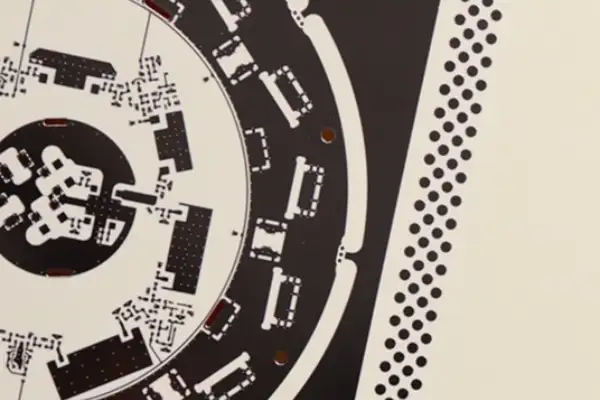
Ultimately, good silkscreen printing isn’t just icing on the cake; it’s a key element in reducing error rates and improving efficiency. It doesn’t need to be flashy, but it must be clear and decisive, like a good assistant silently clearing away all possible obstacles.
I’ve always found the white text on PCBs particularly interesting; it’s like the circuit board’s ID card, telling you where each component should be. When I was designing boards before, I didn’t pay much attention to it, thinking that as long as I could understand it, it was fine. But once, while soldering, I mixed up the positions of two resistors and wasted an entire afternoon.
Later, I discovered that the design of the silkscreen layer is actually quite sophisticated. For example, when designing boards at JLCPCB, I pay special attention to keeping the text height around 1mm. This size doesn’t take up too much space while ensuring clear legibility after printing. Sometimes, if board space is really tight, I’ll use a 0.8mm font size.
I remember once designing a particularly compact board. To leave enough spacing for signal lines, I had to squeeze the labels of several components together. When the prototype arrived, I found that the label for a capacitor was printed in a blurry font, and I had to check it against the schematic one by one.
Now, I habitually consider the silkscreen placement during the layout stage. Especially for easily confused interface definitions, I make sure to leave enough space for labeling. Sometimes, I’d rather make the board slightly larger to ensure the readability of key information. After all, this white text is not only for production but also for my own later debugging.
Recently, I tried using yellow silkscreen on a dark blue solder mask layer, and the effect was surprisingly good. Although not as common as white text, it’s actually easier to read in certain scenarios. However, for mass production, the balance between cost and manufacturing process needs to be considered.
Ultimately, silkscreen printing is like annotations on a circuit board; clear and understandable markings help avoid detours in subsequent work.
I always feel that comparing a motherboard to a human skeleton is a bit of an oversimplification. In reality, it’s more like a city’s transportation hub, not only housing various electronic components but also ensuring signals reach their destinations accurately. Especially after assembling a few computers yourself, you’ll clearly realize the unique design logic behind each interface.
I remember being quite surprised when I first saw a silk-screen-printed PCB; those tiny markings are like road signs that guide you in installing components correctly. Once, while helping a friend build a PC, I encountered an interesting situation—he insisted on forcing a PCIe SSD into a PCI slot, only realizing the gold fingers didn’t align afterward. This seemingly simple physical foolproof design actually prevents many human errors.
What fascinates me most about modern motherboards is the design of the power supply module. You might have noticed that the heatsinks for the power supply on high-end motherboards are becoming increasingly exaggerated, and this isn’t just for visual appeal. When the CPU is overclocked across all cores, the heat generated by those tiny power supply components is quite astonishing. A thermal imaging test once revealed that temperatures in some areas could instantly exceed 80 degrees Celsius.
Speaking of expandability, many people tend to overlook a detail when discussing PCIe lane allocation: when you’ve filled all the M.2 SSD slots, you might find that some SATA ports automatically become unusable. This is because the motherboard chipset has a limited number of lanes; this resource allocation mechanism is somewhat like a traffic control system.
Compared to the cold data on the specifications sheet,
I recently found several old PCB boards while tidying up my studio, and discovered that the white markings on them were still clearly legible after more than ten years. This reminded me of my early misunderstanding of silkscreen printing—I used to think it was just decorative, until I accidentally installed a capacitor with the polarity reversed, causing an entire batch of products to be reworked, and only then did I truly understand the importance of silkscreen printing on circuit boards.
Now, when I see novice designers shrinking component markings to the point of almost needing a magnifying glass to see them, or stuffing critical warning symbols into connector gaps, I especially want to remind them: silkscreen printing is essentially engineering language for living people to understand. Last week, a customer sent in a refurbished board because the technician mistakenly connected the 24V interface to the 5V port, burning out three main control chips. This basic error could have been completely avoided by simply marking the voltage value in bright red ink next to the high-voltage interface.
Regarding the selection of screen printing ink, many people blindly pursue high contrast. I once tried a new type of white ink; while the effect on the bare board was stunning, it developed fine cracks after wave soldering. Later, I switched to traditional epoxy resin-based ink. Although the initial whiteness was slightly inferior, its high-temperature resistance and adhesion were more reliable. It’s like choosing work shoes; shiny leather shoes aren’t necessarily more practical than suede ones.
Interestingly, different factories have vastly different levels of control over screen printing precision. A small factory I worked with last year could produce clear characters 0.2mm wide using ordinary ink, while some large factories using top-of-the-line equipment experienced edge smudging. The key lies in the experienced technicians’ fine-tuning of screen tension and squeegee angle; this kind of craftsmanship truly requires time and experience to develop.
There’s something counterintuitive: dark solder mask paired with light-colored screen printing isn’t always the best combination. For example, black solder mask with white lettering can cause glare under strong light. We now prefer dark gray solder mask with off-white ink, which significantly reduces visual fatigue during long-term maintenance. This reminds me of the design logic of traffic signs—not just pursuing eye-catching visibility, but also ensuring continuous visibility.
Recently, I encountered a new challenge while trying to screen print on flexible circuit boards. Ordinary epoxy resin ink is prone to cracking when bent. Later, I found a polyurethane-modified ink that wouldn’t peel off even after repeated bending. This shows that small advances in materials science can indeed solve big problems in practical applications.
Ultimately, screen printing quality directly affects the total lifecycle cost of a circuit board. I’ve seen too many cases of difficult repairs due to blurry markings, with some boards ultimately having to be scrapped and remade. Instead of spending manpower tracing the circuitry later, it’s better to spend an extra half hour optimizing the screen printing design upfront—this time investment is absolutely worthwhile.
While cleaning my studio recently, I found an old PCB with blurry white characters that reminded me of my early days working with circuit boards. Back then, I always thought silkscreen printing was just decorative text and patterns. It wasn’t until I stared at a bare board for half an hour while repairing equipment that I realized—this seemingly insignificant marking is actually the soul map of the entire circuit.
Now, I spend extra time optimizing the silkscreen layout every time I design a new board. Once, while helping a friend modify an audio amplifier, I encountered a typical situation: the secondhand board he bought had severely worn silkscreen, and the resistors and capacitors were like pebbles in a maze, making it impossible to distinguish their parameters. We had to use a multimeter to measure them one by one, wasting an entire afternoon. This experience made me realize that silkscreen printing is like a road sign in a city; even the most familiar streets can become disorienting when they’re missing.
Some engineers believe silkscreen printing is merely a means to assist production, but I prefer to see it as a dialogue between the designer and the repairman. Last year, when designing a smart flowerpot controller, I deliberately drew a water droplet symbol next to the humidity sensor and marked the voltage range at the power interface. Later, the customer reported that even amateurs could easily replace components. The sense of accomplishment from such details was more satisfying than the circuit’s functionality itself.
Of course, the quality of the silkscreen printing directly affects the user experience. I’ve encountered situations where cheap manufacturers use inferior inks that cause characters to peel off when damp, and I’ve also seen precision instruments using laser engraving technology that remain clear even after chemical cleaning. When choosing a Silk Screen Printing PCB process, one shouldn’t only consider cost but also the intended use case. Industrial-grade products need to be as durable as inscriptions carved in stone, while consumer electronics may prioritize the intuitiveness of initial contact.
What impresses me most is how modern PCB design software makes silkscreen printing as free as painting. It allows adding debugging prompts between components, embedding hidden details in blank areas, and even using different colors to distinguish functional blocks. This process of infusing cold, hard technology with a human touch is precisely what distinguishes engineers from craftsmen. When circuit boards are no longer standardized products with green backgrounds and white lettering, every silkscreen print tells a story of the designer’s dedication.
I recently noticed an interesting phenomenon: many people treat the white markings on circuit boards as decorations. In fact, these seemingly simple characters hide a lot of intricacies.
I remember the first time I disassembled an old radio, I found those densely packed white symbols quite unsightly. It wasn’t until I repaired it myself that I discovered these markings were a lifesaver. Especially when you need to replace a specific capacitor or resistor, the lack of these markings means you have to measure them one by one, which is incredibly frustrating.
Now, when designing circuits, I actually put more effort into the silkscreen layer. For example, adding special symbols to key test points and clearly labeling voltage values next to interfaces—these seemingly redundant details often save a lot of time during debugging.
I experienced this firsthand once when I helped a friend repair a drone flight controller board. The markings on that board were exceptionally clear; even the orientation of each chip was clearly marked, instantly doubling the repair efficiency.
Speaking of current trends, I think simply pursuing high marking precision might be misguided. I’ve seen some high-density boards where, to cram in more information, the characters are shrunk to the point where you almost need a magnifying glass to see them, completely defeating the purpose of marking.
Recently, I tried using two-color marking to distinguish different functional areas, and the results were surprisingly good. Red is used for power-related information, and blue marks signal paths. This allows for quick location of the problem area even on unfamiliar boards.
As for full-color printing, I personally have reservations. Although it looks cool, it significantly increases costs in actual production, and too many colors can create visual confusion.
I’m more optimistic about smart labeling, such as combining it with QR code technology to encode detailed parameters. This saves space and increases information content, which is particularly useful in industrial equipment maintenance.
Environmental protection is indeed an unavoidable topic, but I don’t think we should sacrifice practicality in the pursuit of environmental friendliness. I’ve seen some so-called environmentally friendly inks with significantly reduced wear resistance, which can actually shorten product lifespan.
Ultimately, the value of screen printing lies in how it helps people better understand and use the circuit board, not simply in pursuing technical parameters or flashy appearances. That’s the most practical consideration.
I’ve always found screen printing a particularly interesting part of circuit board manufacturing. Many people might think it’s just printing a few markings on the board, but after actually working with it, you realize there’s a lot more to it than meets the eye. I remember the first time I saw a board processed with DLP technology, the level of detail was truly astonishing, especially the tiny component markings, which were so clear they looked like they were drawn directly with a pen.
While traditional screen printing is used less now, its value lies in its tangible texture. I’ve met some veteran engineers who are particularly fond of boards produced using this process; they say the slightly raised texture gives them a more reassuring feel. However, LPI (Liquid Crystal Imaging) is still more common now, as this method, which uses UV exposure, does achieve higher precision.
The choice of ink is actually more important than you might think. We once tried different brands of ink and found that some easily discolor under high temperatures, while others were particularly corrosion-resistant. This detail is often overlooked, but it directly affects the long-term reliability of the circuit board.
What attracts me most about DLP technology is its flexibility. I previously worked on a project that required frequent revisions; traditional methods required creating a new PCB each time, while DLP only required updating the file to start printing directly. This digital workflow is particularly suitable for today’s fast-paced development.
However, each process has its applicable scenarios. For simple boards produced in large quantities, traditional screen printing is more economical. For high-density boards requiring fine markings, LPI or DLP might be more suitable. The key is to choose based on actual needs, rather than blindly pursuing the latest technology.
I appreciate this diversified technological landscape. Different screen printing processes are like different tools; the key is to use the right method at the right time. After all, even the best technology can increase unnecessary costs if it doesn’t meet the actual needs.
Sometimes, looking at circuit boards covered with various markings, you feel it’s not just a technical job, but more like an art of marking electronic components. Every symbol and every line must be clearly identifiable, as this is crucial for smooth assembly and repair.
Now, more and more designs are focusing on the aesthetics of circuit boards, which places higher demands on screen printing. For example, some consumer electronics products require specific color schemes or sophisticated logos, all of which require more advanced printing technologies.
Ultimately, no matter how technology develops, the ultimate goal is to make circuit boards both functional and aesthetically pleasing. In this process, screen printing always plays an indispensable role.
Every time I open a computer case and see that green board covered with components, I always look for the small white markings first. These seemingly insignificant markings are actually the roadmap for the entire system. Without them, even the most senior engineer would have to spend a lot of time identifying the identity and orientation of each component.
I remember the first time I assembled a computer, I plugged in the jumper cap backwards because I didn’t notice the small triangular directional mark on the silkscreen. This lesson taught me that silkscreen is not just decoration, but a real functional design element. Now, when doing PCB layout, I treat the silkscreen information as a dialogue with future repair technicians.
A good silkscreen design should be like a thoughtful instruction manual. I’m used to marking voltage values next to key test points and using arrows to indicate sequences near debugging interfaces. These details may seem insignificant, but they can save a lot of time when troubleshooting. Once, while helping a friend repair an old stereo, I was touched to find that the manufacturer had even printed the rotation direction of the potentiometers on the circuit board.
However, denser silkscreen isn’t always better; a balance between information content and readability is needed. I’ve seen some motherboards with all the component parameters printed on them, resulting in a cluttered appearance. My experience is to prioritize labeling easily confused interfaces and polarities before considering necessary warning symbols.
Recently, working on flexible circuit board design has made me realize the special considerations required for the silkscreen layer. Text in curved areas must avoid stress concentration points, and the ink material must be adaptable to repeated bending—challenges not encountered on rigid boards.
Ultimately, the silkscreen layer is a bridge between the designer and the user; it carries not only technical specifications but also a sense of responsibility. Before pressing the print button each time, I imagine the expression on a repairman’s face five years from now when they hold this board, making me even more cautious about the placement of each character.
I always feel that many people overcomplicate silkscreen printing. The other day, while helping a friend debug a board, I found the markings were a blurry mess—this reminded me of what my mentor said when I first entered the industry.
I remember being quite impressed when I first encountered manual screen printing. The smooth, fluid movements of a master craftsman, wielding a scraper and flicking his wrist to evenly spread the ink, are rarely seen now. However, to be honest, this traditional method demands a high level of skill from the operator; sometimes, a newcomer using the same screen can produce results two levels worse.
While LPI (Liquid Screen Printing) technology is currently the mainstream choice and certainly saves time, it’s not a panacea. Last week, a customer insisted on inserting markings into a 0.8mm pitch BGA area, resulting in burr-like edges on the characters after exposure, which actually affected soldering. This made me realize I should take a step back and consider the fundamental purpose of screen printing.
I once visited a long-established factory where they were still using improved semi-automatic screen printing equipment. The experienced technician, adjusting the air pressure, discussed with me the impact of ink viscosity on penetration. These empirical data, not found in standard manuals, allowed simple screen printing to achieve near-LPI precision.
Choosing a process is like choosing tools; the key is the application scenario. For example, when making experimental boards, I often choose matte black ink. Although it’s more expensive, it’s less reflective during debugging and less tiring on the eyes even after prolonged use. These details are often more practical than pursuing high technical parameters.
Recently, I’ve been trying to combine two processes: first applying LPI to the entire board and then manually screen printing on key areas. Although this involves more steps, it ensures overall consistency and allows for specific effects in particular locations. This flexible approach has solved many previously bottleneck problems.
Ultimately, the quality of silkscreen printing depends on its ability to help engineers complete their work more efficiently. Sometimes, focusing too much on technical specifications can cause us to forget the very purpose of these markings in the first place.
I feel many people misunderstand the white markings on PCBs. Seeing those tiny texts and symbols, some think it’s just decoration and even suggest omitting it to reduce costs. But in the projects I’ve handled, it’s precisely the most indispensable part.
I remember once debugging a board with densely packed components. Without clear labeling, I might have spent an entire day comparing it to the schematic. Those white markings are like road signs, preventing you from getting lost in a complex circuit maze. Especially during repairs, they help you quickly locate the problem area.
The quality of silkscreen printing directly impacts work efficiency. I’ve encountered some cheap boards with blurry or even misaligned text. This is particularly troublesome in scenarios requiring rapid component replacement. Good silkscreen printing should be clear and durable, not fading even after wiping with alcohol.
Current technology has indeed improved significantly. Previously, I always worried about accuracy when screen printing. Now, with more advanced technology, even the smallest 0402 package can have clear markings printed next to it. However, it’s important to leave enough space in the design to avoid text overlapping with pads.
I like to add special markings next to key test points so that both production line workers and maintenance technicians can easily find the location to be measured. This detail may seem insignificant, but it significantly improves efficiency in mass production.
Different screen printing colors also have their own characteristics. While white is the most common, other colors are sometimes used on dark boards to ensure contrast. The important thing is to make the information clear and legible, not just to pursue aesthetics.
As for cost, it does increase the budget, but compared to the time lost in later debugging and repair, this investment is well worth it. Especially on boards used for teaching or experiments, clear markings greatly reduce the learning curve.
In fact, observing the quality of the screen printing on a PCB can reveal the manufacturer’s professionalism. Manufacturers who don’t cut corners on details often have more reliable overall processes. It’s like judging a person’s appearance; the details best reveal their quality.
Every time I receive a new prototype board, the first thing I do is check if the silkscreen printing is clear and accurate. This habit helps me avoid many potential problems. After all, in the electronic design industry, it’s often these seemingly insignificant details that determine the reliability of the final product.
As a PCB engineer with years of industry experience, I share a
In multilayer PCB production, substrate stability is often the key to achieving
In the field of medical electronics, attention often focuses on complex algorithms;
- Expert på produktion av små till medelstora serier
- Kretskortstillverkning med hög precision och automatiserad montering
- Pålitlig partner för OEM/ODM-projekt inom elektronik
Öppettider: (mån-lör) från 9:00 till 18:30